
How to Install the AMC App on Amazon Firestick
🔥 How to Install and Activate the AMC App on Amazon Firestick (Complete Guide)
If you’re a fan of iconic shows like Breaking Bad, Better Call Saul, Mad Men, or The Walking Dead, chances are AMC is one of your go-to TV networks. The good news? You can bring all your favorite AMC content to your Amazon Firestick in just a few simple steps.
In this guide, we’ll walk you through how to install and activate the AMC App on your Amazon Firestick so you can enjoy your favorite shows anytime.
🎬 What Is the AMC App?
The AMC app is your gateway to everything AMC has to offer—including full episodes, behind-the-scenes extras, and exclusive content. Once logged in through your TV service provider, you’ll gain access to:
- Full episodes of AMC shows on demand
- Classic movies and AMC original films
- The ability to download shows for offline viewing
- Exclusive sneak peeks and extended episodes
📲 How to Install the AMC App on Firestick
Installing the AMC app on your Firestick is quick and easy. Just follow these steps:
✅ Step-by-Step Installation Guide:
Step 1: From your Firestick Home Screen, navigate to the Search icon (magnifying glass in the top-left corner).
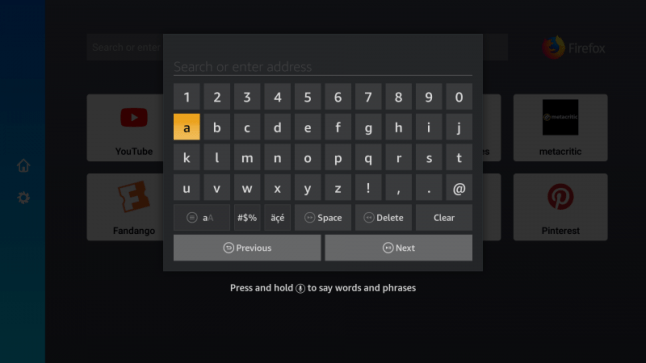
Step 2: In the search bar, type “AMC App” and press the Enter or Next button.
Step 3: Locate the official AMC App in the search results and select it.
Step 4: Click on “Get” or “Download” to start the installation.
Step 5: Once the installation is complete, click “Open” to launch the AMC App.
That’s it! The app is now installed on your Firestick.
🔐 How to Activate the AMC App on Firestick
Before you can start streaming content, you’ll need to activate the app with your TV provider. Here’s how:
🔄 Activation Process:
Step 1: Open the AMC App from the Firestick apps menu.
Step 2: When prompted, an activation code will appear on your screen. Write it down or keep it visible.
Step 3: On a phone, tablet, or computer, visit www.amc.com/activate.
Step 4: Enter the activation code and log in with your TV provider credentials.
Step 5: Once activated, return to your Firestick—your AMC app is now ready to use!
📺 Start Streaming Your Favorite Shows
You’re all set! You can now stream current and classic AMC series like:
- The Walking Dead Universe
- Better Call Saul
- Breaking Bad
- Interview with the Vampire
- Dark Winds
- And many more…
Plus, new episodes are often available the day after airing—making the app a great way to stay caught up.
❓FAQ: AMC on Firestick
Q: Do I need a TV provider to use the AMC App?
Yes. To unlock full access to shows and movies, you’ll need to sign in using your TV provider credentials.
Q: Is the AMC App free on Firestick?
Yes, the app itself is free to download. However, you’ll need a valid TV subscription that includes AMC to watch full episodes.
Q: Can I watch AMC shows offline?
Yes! The AMC App lets you download select content to watch when you’re offline or traveling.
📝 Final Thoughts
The AMC App brings top-tier entertainment right to your Firestick, combining award-winning series with the convenience of on-demand and offline viewing. Whether you’re revisiting classics or discovering new favorites, AMC has something for every drama fan.
Also Visit: